
Is your barn empty? Or are you doing work that knowingly will set off an alarm?
How To Enable and Disable Your BarnTalk Alarms: (Video ~ 1 minute)
Step 1: To silence your alarms, open the BarnTalk app and choose the gateway you want to silence.
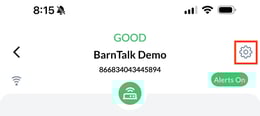
Step 2: In the upper right-hand corner, you will see a gear icon. Click on the gear icon and a screen will pop up that prompts you to silence your gateway.
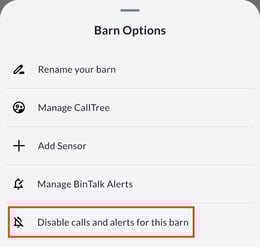
Step 3: Select Disable calls & alerts for this barn.
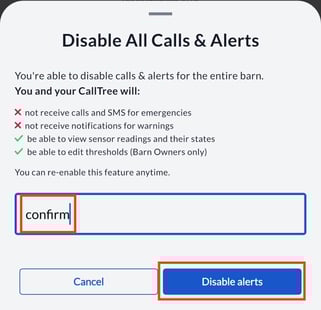
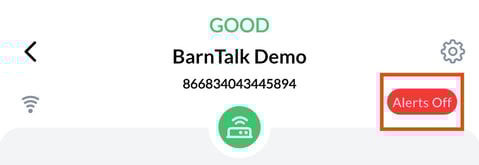
Step 4: Type "confirm" in the text box and click the "disable alerts" button to silence the gateway. You will now notice a red oval with the words "Alerts Off" next to that gateway on your app.
Step 4: To re-enable alerts, go to the same gear icon, and click "re-enable alerts"
If you have any issues or feedback, reach out to our support team via email at support@barntools.com, or call/text Toll Free at 855-580-0058 during the hours of 8am-5pm CST Monday-Friday.